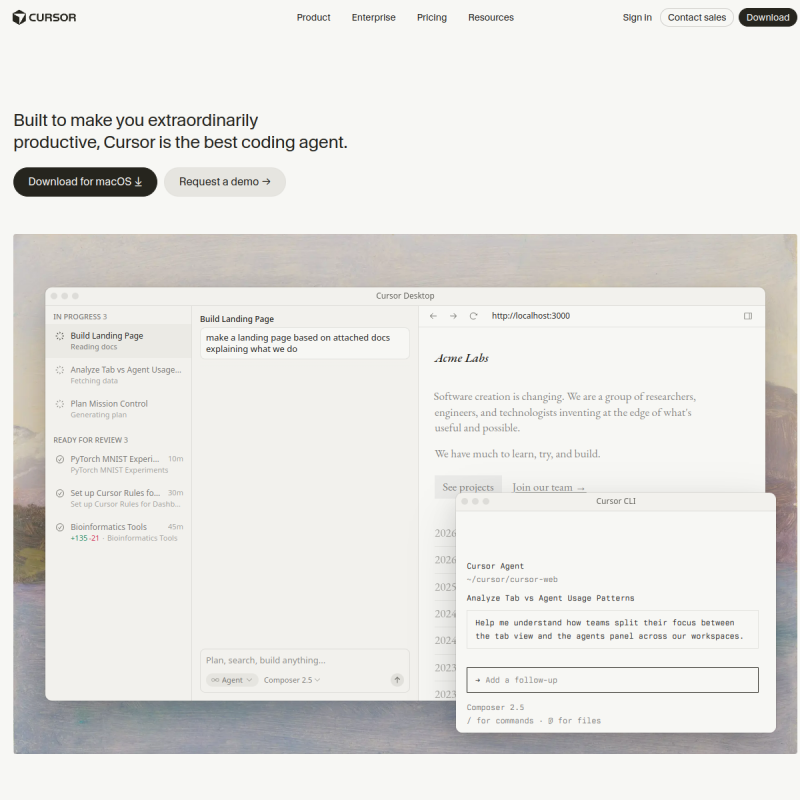
You know that moment when you're deep in a coding session and autocomplete suggestions start feeling like they belong to a different project? That's the gap Cursor fills. Built on VS Code, Cursor doesn't just add AI to your editor—it restructures how you interact with code. The Tab feature alone feels like upgrading from a bicycle to a motorcycle: you still get where you're going, but the journey looks completely different.
What Stands Out
The agent mode in Cursor genuinely changes workflows. Instead of copying error messages and pasting them into a chat window, you can have Cursor diagnose issues directly in your codebase. It reads the files, understands the context, and suggests fixes that account for your entire project structure. This isn't autocomplete with extra steps—this is having a senior developer looking over your shoulder without the awkward eye contact.
The multi-file refactoring capabilities deserve special mention. When you need to rename a function across 50 files, Cursor handles it with context awareness that most tools lack. It doesn't just do find-and-replace; it understands that a variable named "userId" in your API layer might need different handling than the same name in your frontend code.
Privacy mode exists and actually works. For developers working on proprietary code, this matters. Your code isn't being used to train models when you enable it. The Business plan enforces this org-wide, which is exactly what enterprise teams need.
Core Capabilities
Cursor combines multiple AI models—Claude Sonnet, GPT-4o, Gemini 1.5 Flash—under one interface. The unified request-based pricing (updated mid-2025) means you're not constantly calculating whether using Claude versus GPT will bankrupt your monthly budget. You get 500 fast premium requests per month on Pro, with unlimited slower requests once you hit that ceiling.
Max Mode lets you go deeper on complex problems. It's available across all major models and gives you more control over how the AI thinks through your problem. For debugging nasty multi-file issues or planning architecture decisions, this extra depth is worth the slower response time.
The new Tab model (v0.50+) suggests changes across multiple files simultaneously. If you're doing a refactor that touches interconnected modules, this is the feature you've been waiting for. It handles edit chains and file jumps more naturally than previous versions.
Pricing Breakdown
Hobby (Free) gives you 2000 completions and 50 slow premium requests. The catch? Premium models like Claude Sonnet are restricted. You'll mostly be using lighter models, which is fine for evaluation but limiting for serious work.
Pro at $20/month unlocks the full experience: unlimited completions, 500 fast premium requests, and access to models like Claude Sonnet 4, GPT-4.1, and Gemini 2.5 Pro. For individual developers, this is the sweet spot. The $20 covers roughly 225-650 requests depending on which model you prefer—Claude Sonnet 4 is on the hungrier end.
Business at $40/user/month adds team management features: centralized billing, admin dashboards, SAML/OIDC SSO, and privacy mode enforcement across your organization. The per-seat pricing stings, but the administrative control is essential for teams.
What Falls Short
BYOK (Bring Your Own Key) support exists but with significant gaps. Tab completion and Apply from Chat rely on Cursor's proprietary models and can't use your own API keys. If you were planning to route all costs through your existing OpenAI or Anthropic budget, you'll hit these walls fast.
The pricing changes in 2025 confused everyone. The shift from request-based to usage-based billing sounds simple, but understanding your actual spend requires digging into dashboards. New users often don't realize they're burning through fast requests faster than expected.
Ultra at $200/month is expensive. The 20x usage multiplier sounds impressive until you realize most developers don't need that much. It's positioned for power users, but the jump from Pro to Ultra is dramatic.
Who Should Use It
Cursor works best for developers who spend significant time in VS Code and want AI assistance without leaving their workflow. Solo developers on Pro will get the most value—the pricing is reasonable for the productivity gains if you're writing code daily.
Teams benefit from Business, especially with the privacy enforcement. But evaluate whether you actually need the team features or if multiple Pro accounts would work better at your scale.
If you're already deep in JetBrains ecosystem or prefer vim/emacs, the switching cost might outweigh Cursor's benefits. The VS Code foundation is both Cursor's strength and its limitation.
Bottom Line
Cursor has matured significantly. The 2025 updates simplified pricing and added genuinely useful features like Background Agents and improved Tab model. At $20/month for Pro, it's competitive with GitHub Copilot while offering more flexibility in model choice. The main considerations are whether VS Code fits your workflow and whether you can live within the BYOK limitations. For most developers, the answer to both is yes.